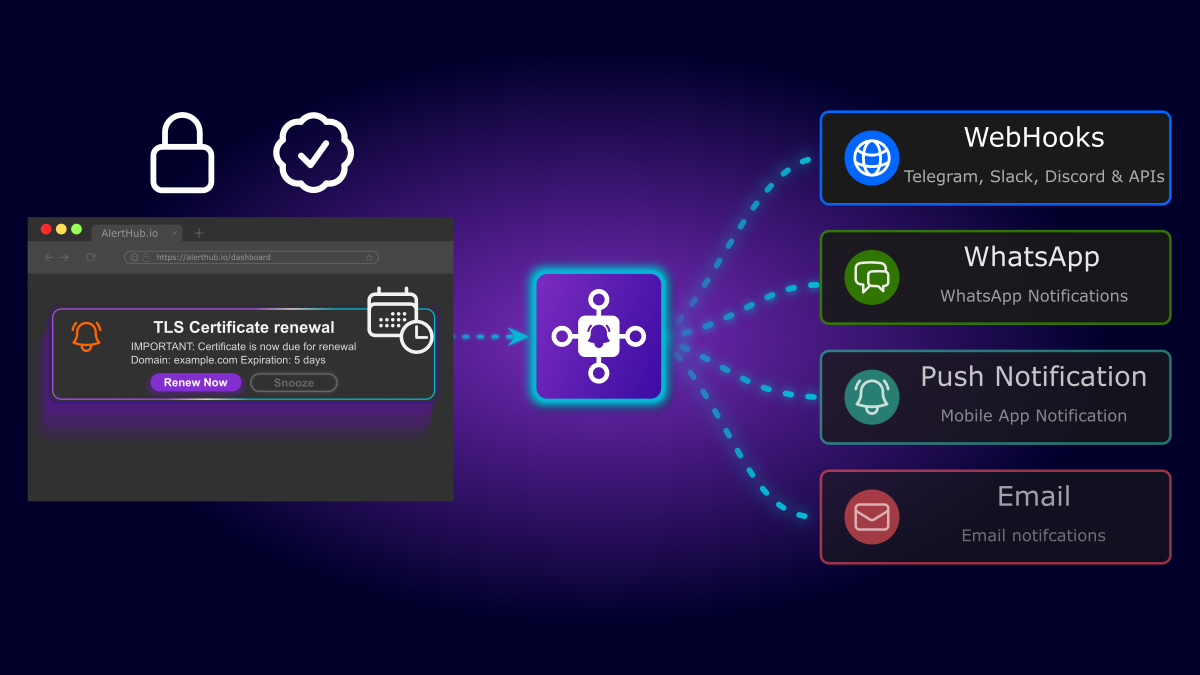
Every engineer has a horror story about an expired domain or TLS certificate. Most of the time, auto-renewal was turned on... Right up until a virtual credit card expired, a registrar sent renewal warnings to an unmonitored admin@ inbox, or a Certbot DNS hook quietly broke after a provider API change.
Because domains renew annually while TLS certificates renew every 90 days (or less), you need two complementary defenses: scheduled future reminders for human-action renewals, and an automated endpoint probe that verifies the live certificate your users actually see.
1. Why Auto-Renewals Still Fail in Production
Relying exclusively on your registrar's billing system or a local Certbot cron job leaves three blind spots:
- Buried Registrar Emails: Domain renewal warnings often land in spam filters or go to a founder's personal inbox rather than the team's Slack channel or on-call phone.
- Silent ACME & DNS Failures: Let's Encrypt renewals frequently fail when a Cloudflare API token expires, port 80 is blocked by a firewall rule, or a staging container hits rate limits.
- CDN & Load Balancer Drift: Certbot might renew a certificate on disk, while Nginx, HAProxy, or an edge proxy keeps serving the old cached certificate until it expires.
2. Approach 1: Set-and-Forget Domain Reminders via Scheduled Events
For domains, custom client certificates, or third-party API keys that expire on a known calendar date, you don't need a polling script. The moment you register or renew a domain, schedule two future alerts in AlertHub—one 30 days out (plenty of time to update billing or transfer registrars) and an urgent one 7 days out.
You can schedule these directly from your AlertHub dashboard or queue them programmatically via the Schedule API using an ISO-8601 timestamp:
curl -X POST https://alerthub.io/api/schedule/YOUR_USER_ID \
  -H "X-API-KEY: YOUR_API_KEY" \
  -H "Content-Type: application/json" \
  -d '{
    "title": "Domain renewal due in 30 days: example.com",
    "body": "example.com expires on 2027-11-12 at Namecheap. Verify auto-renew payment method and DNSSEC lock.",
    "status": "warning",
    "priority": "high",
    "source": "domain-reminder",
    "start_time": "2027-10-13T09:00:00Z"
}'3. Approach 2: Automated SSL Expiry Check Script
Unlike domains, TLS certificates are exposed publicly on port 443 which means you can inspect the exact expiration date your visitors' browsers see using openssl.
You can grab the script directly from our cert-monitor folder on GitHub with a single command, or copy the source below into /usr/local/bin/check-ssl-expiry.sh:
sudo curl -fsSL https://raw.githubusercontent.com/alerthubio/examples/main/cert-monitor/check-ssl-expiry.sh \
-o /usr/local/bin/check-ssl-expiry.sh && sudo chmod +x /usr/local/bin/check-ssl-expiry.sh#!/usr/bin/env bash
export PATH="/usr/local/bin:/usr/bin:/bin"
# Add ALERTHUB_USER_ID and ALERTHUB_API_KEY as environment variables
ALERTHUB_USER_ID="${ALERTHUB_USER_ID:-YOUR_USER_ID}"
ALERTHUB_API_KEY="${ALERTHUB_API_KEY:-YOUR_API_KEY}"
WARN_DAYS="${WARN_DAYS:-14}"
# Add all production domains you want to monitor
DOMAINS=(
"example.com"
"api.example.com"
"status.example.com"
)
send_alert() {
local title="$1"
local body="$2"
local status="$3"
local priority="$4"
local payload
payload=$(TITLE="$title" BODY="$body" STATUS="$status" PRIORITY="$priority" python3 -c '
import json, os
print(json.dumps({
"title": os.environ["TITLE"],
"body": os.environ["BODY"],
"status": os.environ["STATUS"],
"priority": os.environ["PRIORITY"],
"source": "cert-monitor"
}))
')
curl -fsS -m 5 -X POST "https://alerthub.io/api/event/${ALERTHUB_USER_ID}" \
-H "X-API-KEY: ${ALERTHUB_API_KEY}" \
-H "Content-Type: application/json" \
-d "$payload" > /dev/null 2>&1
}
NOW_EPOCH=$(date +%s)
for DOMAIN in "${DOMAINS[@]}"; do
END_DATE=$(echo | openssl s_client -servername "$DOMAIN" -connect "${DOMAIN}:443" 2>/dev/null \
| openssl x509 -noout -enddate 2>/dev/null \
| cut -d= -f2)
if [ -z "$END_DATE" ]; then
send_alert \
"SSL check failed: ${DOMAIN}" \
"Could not retrieve TLS certificate from ${DOMAIN}:443. Check DNS, firewall, or reverse proxy health." \
"error" \
"high"
continue
fi
EXPIRY_EPOCH=$(date -d "$END_DATE" +%s)
DAYS_LEFT=$(( (EXPIRY_EPOCH - NOW_EPOCH) / 86400 ))
if [ "$DAYS_LEFT" -le 3 ]; then
send_alert \
"URGENT: SSL expires in ${DAYS_LEFT} days (${DOMAIN})" \
"Live TLS certificate for ${DOMAIN} expires on ${END_DATE}. Immediate renewal or proxy reload required." \
"error" \
"high"
elif [ "$DAYS_LEFT" -le "$WARN_DAYS" ]; then
send_alert \
"SSL expires in ${DAYS_LEFT} days: ${DOMAIN}" \
"Live TLS certificate for ${DOMAIN} expires on ${END_DATE}. Auto-renewal may have stalled." \
"warning" \
"medium"
fi
done4. Schedule the Check & Escalate Urgency
Make the script executable and schedule it to run once every morning via crontab -e:
chmod +x /usr/local/bin/check-ssl-expiry.sh# Check all production TLS certificates daily at 08:30 UTC
30 8 * * * /usr/local/bin/check-ssl-expiry.shBecause the script distinguishes between warning (14 days out) and error (3 days or fewer), you can tweak it to change profiles, so AlertHub send early warnings quietly to Slack or email, while escalating sub 3-day emergencies straight to mobile push notifications and WhatsApp.