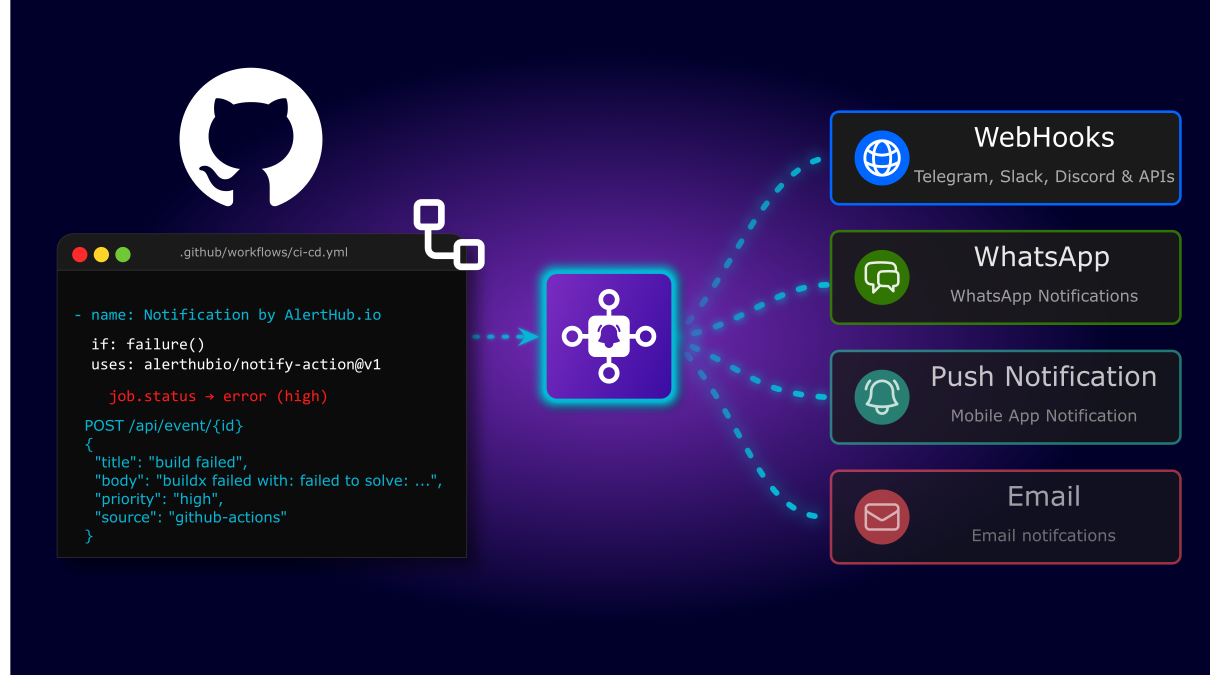
When a CI pipeline breaks on main or a scheduled nightly build fails, GitHub sends a default email notification that most engineers filter straight into an archive folder. Meanwhile, wiring up custom curl steps or separate Slack, Telegram, and push notification actions in every repository creates repetitive boilerplate.
The official alerthubio/notify-action composite action solves this with zero external runtime dependencies—no Docker image pulls and no Node.js bundling delays. It executes in milliseconds, reads your workflow context automatically, and routes alerts to Mobile Push, Slack, Telegram, WhatsApp, Email, or upstream webhooks.
1. Add Your AlertHub Secrets to GitHub
Before adding the step to your workflow YAML, store your AlertHub credentials as encrypted repository (or organization) secrets:
- Sign in to your AlertHub dashboard and copy your User ID and API Key.
- In your GitHub repository, open Settings → Secrets and variables → Actions.
- Click New repository secret and add two secrets:
ALERTHUB_USER_ID— Your AlertHub User ID.ALERTHUB_API_KEY— Your AlertHub API Key.
2. Quickstart: Zero-Config Build & Failure Alerts
Add alerthubio/notify-action@v1 as the final step in any job with if: always(). When you omit title, body, status, and priority, the action inspects job.status and builds a complete alert automatically:
name: CI Pipeline

on:
  push:
    branches: [ main ]
  pull_request:

jobs:
  build-and-test:
    runs-on: ubuntu-latest
    steps:
      - name: Checkout repository
        uses: actions/checkout@v4

      - name: Run test suite
        run: go test ./...

      - name: Notify AlertHub
        if: always()
        uses: alerthubio/notify-action@v1
        with:
          user_id: ${{ secrets.ALERTHUB_USER_ID }}
          api_key: ${{ secrets.ALERTHUB_API_KEY }}
Under the hood, status: 'auto' and priority: 'auto' translate your job result into structured AlertHub metadata:
- Job succeeded: Sends
status: "success"withpriority: "normal". - Job failed: Sends
status: "error"and automatically elevates topriority: "high"so mobile push notifications break through quiet notification rules. - Job cancelled: Sends
status: "warning"withpriority: "normal". - Rich context body: Includes the repository name, branch, short commit SHA, triggering actor, and a direct link to the workflow run logs.
3. Alert Only When a Workflow Fails
If your team runs dozens of pull request checks per day and only wants to be interrupted when something breaks, swap if: always() for if: failure():
      - name: Alert on Build Failure
        if: failure()
        uses: alerthubio/notify-action@v1
        with:
          user_id: ${{ secrets.ALERTHUB_USER_ID }}
api_key: ${{ secrets.ALERTHUB_API_KEY }}on: schedule) often fail silently for weeks without anyone noticing. Adding if: failure() with alerthubio/notify-action@v1 ensures you get an immediate phone push the first night a scheduled job breaks.
4. Custom Deployment Notifications & Routing Profiles
For production release pipelines, you can pass a custom title, body, and profile so deployment confirmations route to a dedicated Slack or Telegram channel while infrastructure failures go to your phone:
      - name: Deploy to Production
        run: ./scripts/deploy.sh

      - name: Notify Production Deploy
        if: success()
        uses: alerthubio/notify-action@v1
        with:
          user_id: ${{ secrets.ALERTHUB_USER_ID }}
          api_key: ${{ secrets.ALERTHUB_API_KEY }}
          title: 'Production deploy succeeded'
          body: 'Deployed ${{ github.repository }} (${{ github.sha }}) by ${{ github.actor }}.'
          status: 'success'
          status: 'success'
          priority: 'normal'
          profile: 'deployments'
5. Inputs, Outputs & Security Pinning
All inputs supported by alerthubio/notify-action@v1:
| Input | Required | Default | Description |
|---|---|---|---|
user_id |
Yes | — | Your AlertHub User ID. |
api_key |
Yes | — | Your AlertHub API Key (X-API-KEY). |
title |
No | Auto-generated | Custom alert headline (max 50 characters; auto-truncated if longer). |
body |
No | Auto-generated | Custom alert message. Defaults to repo, branch, short SHA, actor, and run URL. |
status |
No | auto |
One of auto, info, success, warning, or error. |
priority |
No | auto |
One of auto (high on error, normal otherwise), low, normal, or high. |
source |
No | github-actions |
Source label displayed in your live AlertHub dashboard stream. |
profile |
No | "" |
Optional AlertHub notification profile name for channel routing. |
fail_on_error |
No | false |
Set to true to fail the workflow step if the AlertHub API request fails. |
The action also exposes an http_status step output (e.g., 200 or 201) if downstream steps need to inspect the API response. For regulated or high-security repositories, you can also pin directly to the full 40-character commit SHA of a signed release tag on GitHub Releases.